
In this article we will learn how to manage, view and clear bing search history page including queries, browsing activity, images and videos, completely in some easy steps in the privacy dashboard.
By default, www.bing.com search engine keeps track of all your queries for search results and searches on the internet. Also watched videos and images.
This starts the first time you use it and the data is not deleted until two things happen:
- 28 days pass.
- You end up in your Windows Live ID account.
If you are concerned about privacy and want to prevent anyone from accessing your activity, it gives you the option to remove it manually.
Once you know where to look, clear all the activity of search and browsing activity in bing.com requires only a few clicks.
How to Delete Bing Search History Completely
Here are all the required steps:
- Navigate to the search engine homepage www.bing.com and log into your microsoft account.
- Look at the top right corner and click on the menu button (see image below) and then click on option Search History

- In the following page (see image below) you will have some options under the title change history settings:

- Page: Here you can enable or disable store by default and show your recent searches and browsing data
- Clear Search history. To clear your search bing history you have to click on Clear All link
- Manage: In this option if we click on Manage My Search History we can manage all our privacy options and Data: Browse Data, Location History, searches activity and other privacy options for Windows, Skype and Office.
- Today: Under today menu we can see and clear all individual searches. To do so we can click on the X on the right of the screen of each individual search (see image for an example).
You can also turn it off
If you don't see the clear all button o your screen, you can try with the following URL: https://www.bing.com/profile/history/delete There you will access to all your activity.
Update 2021: Now you can manage and access activity and erase it in the privacy dashboard. You can access here to manage your browsing history and click on Clear All.
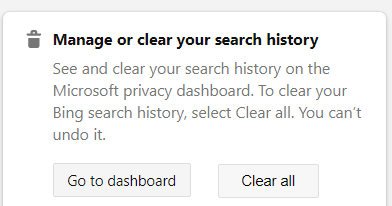
How to Clear Your Bing Search activity without signing in
If you want to clear your tracks without signing in just to the following.

- Open the web browser you use to navigate in Bing.com
- Click on Tools
- Click on Manage History, Activity or similar.
- View and Remove all your Activity: searches, images, cookies, forms, videos, browsing history and site data
Bing Search Engine History
Bing is a search engine, the main competitor of Google. Users input queries and the search engines show a search result. Many search results of website data sort by relation with query.
It is the default search engine in Windows.
How to delete My Bing Activity in XBOX
XBOX has the Microsoft Edge Browser. It save all your browser history: searches, browsing activity, form data, passwords, cookies and visited pages.
We are going to learn how to remove it from XBOX completely.
- Open the Edge browser in your XBIOX
- Click on the Hub. The icon is on the top right side of the XBOX screen.
- Press A button
- Select Activity option
- Press A again
- Select Clear history and confirm choice.
How long does Bing keep your search history?
Bing has not any limit in keeping your searches.
Is Bing owned by Google?
No, the owner of Bing is Microsoft.
Are my internet searches being monitored?
Yes, both Google and Bing keep track of your searches and browsing history.
Why is Bing not popular?
Although it has a very good image search Google has more popularity because of the accuracy of search results.
This is all you need to know about clear, manage, view and remove your search history, all searches and activity in www.bing.com including queries, images and videos.
The bing history tutorial is complete. Remember to repeat this task every day to remove all your tracks from the internet with this search engine.